 Leies
app
Leies
app
for Web | Windows Mobile
Leies CE-Star for Windows Mobile (Pro only)
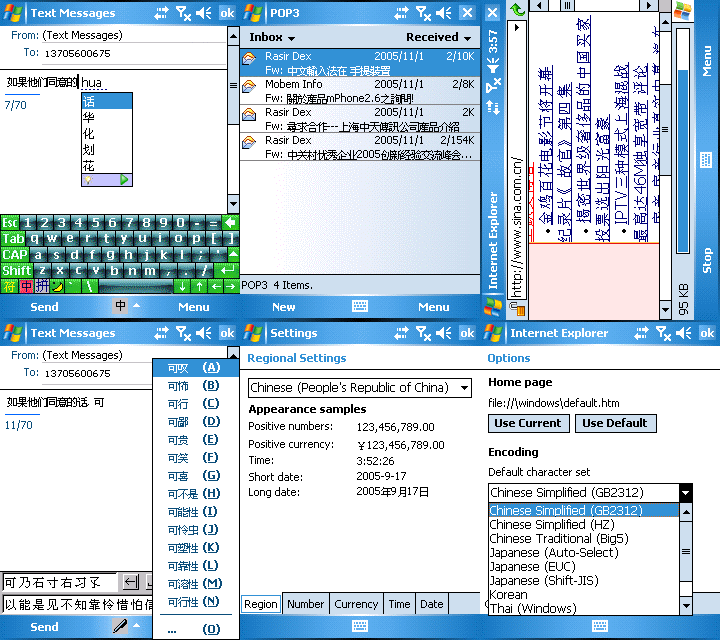
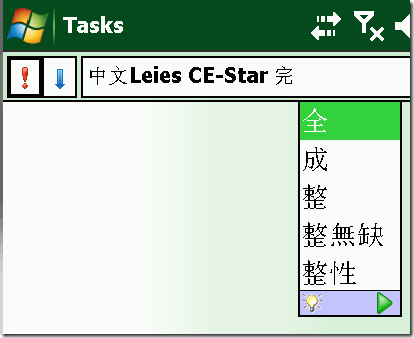
Leies CE-Star is a solution for non-chinese
Windows Mobile OS, it provided Chinese Kernel and Chinese Input Method. CE-Star
contains over 8 Chinese input methods (pinyin, chajei, phonetic, quick chajei,
cantonese, dayi, array, wubi etc) and Japanese Romaji input method. The
Chinese/Japanese handwriting recognition can be in freehand mode or boxed mode.
features |
1. Optimized for Windows Mobile 3 | 3SE | 5.0 | 6.0 | 6.1 | 6.5 | Treo.
2. Prediction for keypad/keyboard input and Handwriting recognition input.
3. High resolution display (480x640 or 480x480) support.
4. Landscape mode and Square screen support (allow user to switch Landscape and
Portrait mode).
5. Built-in and external keyboard input supports.
6. ASCII characters shortcut input panel in Handwriting recognition.
7. Uses Unicode Truetype font to display Chinese and Japanese text clearly.
8. Supports simplified Chinese, traditional Chinese and Japanese both.
9. Simpler installation and uninstallation without manually tapping reset
button.
Leies added : no PC required, install directly from PDA.
disclaimer |
All softwares/services from here are provided 'AS IS' and without warranty, express or implied. Leies specifically disclaim any implied warranties of merchantability and fitness for a particular purpose. In no event will Leies be liable for any damages, including but not limited to any lost or any damages, whether resulting from impaired or lost data, software or computer failure or any other cause, or for any other claim by the user or for any third party claim.
download| (2.8 R3C, 08 Dec 2008)
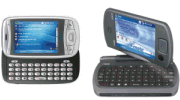
For WM5/6
Download Leies CE-Star 2.8R3C Version 2 - CAB Install (Already X)
http://url.g4team.com/?63467f
Download Leies CE-Star 2.8R3C Version 2 - PC Install (Need to Apply the
Patch)
http://url.g4team.com/?ea5822
Download Patch Only
http://url.g4team.com/?d8aeef
Download Japan Lang. Support
http://url.g4team.com/?37a2d5
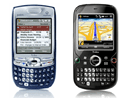
For Treo
PC Install (Need to Apply the Patch) :
http://url.g4team.com/?339be6
Patch only :
http://url.g4team.com/?4a4750
For WM3/WM3SE
PC Install (Need to Apply the Patch):
http://url.g4team.com/?4ac1db
Patched only :
http://url.g4team.com/?2ad620
installation |
1.) 系統安裝 : 只可選一個安裝
System Big5C.cab <- 繁體
System GBKC.cab <- 簡體
***** 安裝後系統會要求 Reset , 千萬不要 Reset !!!! *****
2.) 輸入法安裝 : 自行選擇安裝
ChaJei倉頡.cab
Jianyi速成.cab
Penpower蒙恬Big5.cab
Penpower蒙恬GBK.cab
Pinyin拼音.cab
Yuepin粵拼.cab
Zhuyin注音.cab
3.) 最後安裝過程
到 Start -> Programs -> CE-Star , 按下 Install , Reset 後就完成 .
Patch Installation| (only apply this if you install from PC)
After Installed From PC and Reset.
1) Close Tray Icon from Right Corner (MUST !!!)
2) Click on the Patch and it will install .
3) Reset your Unit and Done.
Fonts Download & Installation |
Feel the fonts ugly ?! Well, here’s some fonts let you change …
微軟正黑體: http://url.g4team.com/?d94901
DroidSansFallback :
http://url.g4team.com/?62558c
After installed CE-Star, click on the CAB, install and reset .